Generate Product Page
Generate Product Page from a Temu Product
Create stunning Shopify product pages from any Temu product using the Orcai Chrome Extension.
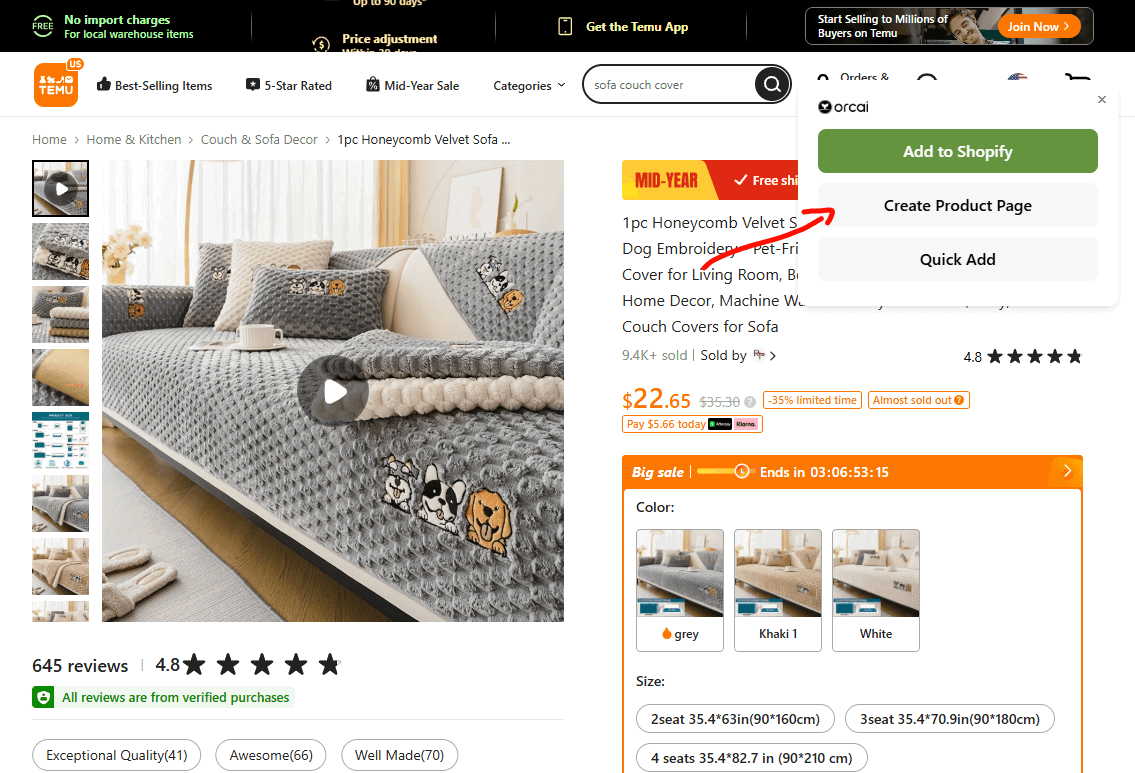
How to generate from Temu:
Install the Orcai Chrome App and log in to your Orcai account.
Visit a Temu product page that you want to convert.
Click on “Create Product Page” in the extension popup.
(Optional) Select the language you want your product page to be generated in.
Click Generate, and you’re done!
Tips for Temu imports
- Look for products with clear, high-quality images
- Products with detailed descriptions generate better content
- Review the generated copy to ensure accuracy
Also available: Generate from TikTok Shop | Generate from DH Gate