Section Urgency & Conversion
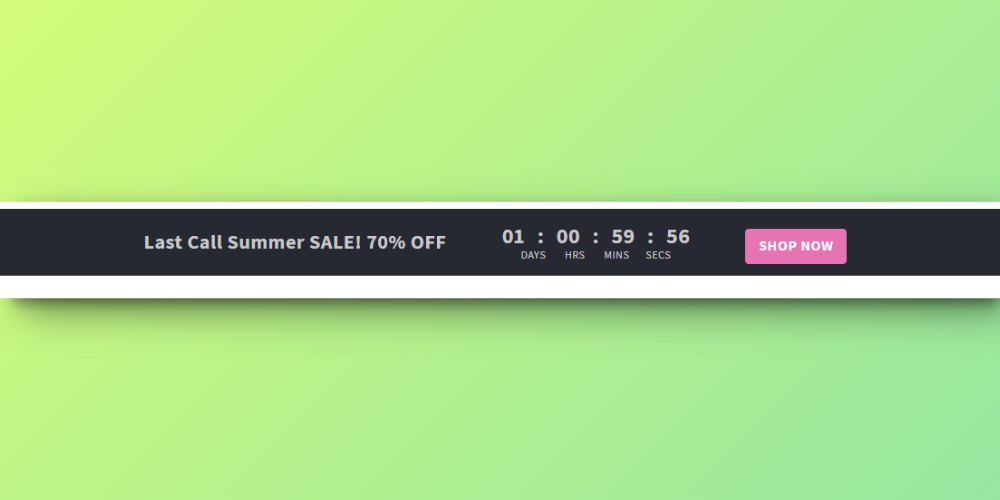
Countdown Bar
Orcai Countdown Bar is a no-code Shopify theme section designed to create urgency and drive conversions with a visually compelling countdown timer. Perfect for limited-time offers, flash sales, and promotional campaigns.
Features
- Countdown Timer: Display days, hours, minutes, and seconds
- Custom End Date: Set your own countdown end date and time
- Urgency Messaging: Add custom text to reinforce the limited-time offer
- Full Customization: Adjust colors, fonts, and styling
How to Add This Section
Install the Orcai App
- Click the “Add to Store Free” button on the Orcai app page.
- Log in to your Shopify account and connect your store with the Orcai app.
- After connecting, click Add and it will show as successfully added.
Add the Section to Your Primary Theme
- In your Shopify admin, go to Online Store > Themes.
- Select your primary theme and click Customize.
Add the Orcai Countdown Bar Section
- In the theme editor, click Add Section.
- Search for “Orcai Countdown Bar” and add it to your product template.
- Drag the section to your desired position on the page.
How to Customize
Access the Section Settings
- In the theme editor, click on the Orcai Countdown Bar section.
Customize the Countdown
- Set the countdown end date and time
- Add urgency messaging (e.g., “Limited Time Offer!“)
- Adjust colors to match your brand or create visual contrast
- Configure what happens when the countdown ends
Save Your Changes
- Click Save to update your live store with the countdown.
Key Benefits
- Create Urgency - Countdown timers proven to increase conversions
- Drive Action - Motivate customers to buy before time runs out
- No coding required - Easy setup through Shopify’s theme editor